

Building a mobile game from scratch can take months, especially when you’re working with a small team or developing your first commercial project.
You need gameplay systems, user interfaces, character controllers, level management, audio, monetization, and publishing configurations. Even a relatively simple game requires many connected components before it becomes playable.
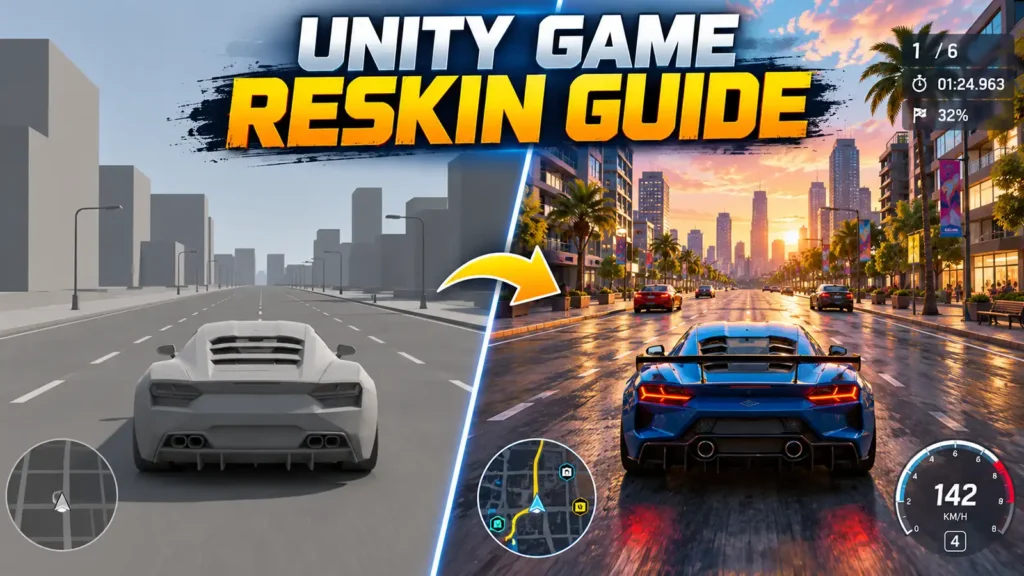
That’s one reason developers use ready-made Unity game templates.
A template provides an existing foundation that developers can customize instead of rebuilding every system from the beginning.
However, reskinning a Unity game involves much more than replacing a logo, changing a few textures, and uploading the result to Google Play.
A successful reskin requires original creative direction, technical adjustments, gameplay improvements, testing, and compliance with platform policies.
This guide explains how to approach the process professionally, from selecting suitable source code to preparing a customized game for publication.
1. Understand What Unity Game Reskinning Actually Means
Game reskinning involves modifying an existing game’s presentation and, where appropriate, its features while retaining some or all of the underlying technical foundation.
The process may include changing characters, environments, textures, user interfaces, animations, sound effects, level layouts, and gameplay parameters.
Reskinning vs. Developing From Scratch
When developing from scratch, programmers must build and connect the core systems before the game becomes functional.
With a suitable template, many systems already exist.
For example, a racing game template might include vehicle controls, traffic behavior, a garage system, level progression, and camera controls.
Instead of recreating those features, a developer can focus on customizing the game’s identity and improving its experience.
However, not every template is equally suitable for every project.
A basic endless-driving template may not support a complex multiplayer racing game without substantial additional development.
The best template is the one whose existing systems closely match your intended gameplay.
2. Choose the Right Unity Game Source Code
Selecting the wrong template can create more work than building a simpler project independently.
Before purchasing source code, examine its technical requirements and available features.
Evaluate the Core Gameplay
Start by asking whether the existing gameplay matches your project idea.
For example, if you want to create a car parking simulator, a dedicated parking-game template may be more useful than an endless highway racing project.
Similarly, a shop-management simulator may provide a better starting point for a retail game than a general first-person controller.
Check the Technical Requirements
Important details include the Unity Editor version, rendering pipeline, supported platforms, external packages, and available documentation.
Also investigate whether the project includes complete editable source files or only a compiled build.
A practical evaluation should cover:
- Unity version compatibility.
- Android and iOS support, if required.
- Gameplay systems and scene organization.
- Third-party packages and dependencies.
- Availability of editable models and textures.
- Seller documentation and support.
- Licensing and redistribution restrictions.
Developers can explore different genres through the GamesClouds Unity game source code catalog.
Before purchasing, confirm the exact product’s specifications and licensing terms.
3. Review the License Before Customizing Anything
Buying a game template doesn’t automatically transfer ownership of every included asset or grant unlimited redistribution rights.
This distinction matters when developing games for commercial release.
Some licenses allow modification and distribution of compiled applications while restricting the resale or sharing of original source files.For example, the published GamesClouds Single App License Agreement describes non-exclusive use for one project or application, permits customization and commercial publishing, and restricts redistribution of the purchased source files. Individual products or separately licensed components may have additional requirements. GamesClouds
Check Third-Party Assets Separately
A template may contain models, audio, fonts, plugins, or SDKs obtained from other publishers.
Those components may carry their own licensing restrictions.
Unity’s official Asset Store licensing guidance distinguishes between incorporating licensed assets into a finished game and redistributing those assets as standalone files. Unity Asset Store
Before release, confirm that you have the necessary rights to use all included content.
Replacing an asset’s textures does not automatically eliminate the original creator’s intellectual-property rights.
4. Create a Backup Before Opening or Upgrading the Project
Once you’ve obtained the source code, avoid immediately opening the only available copy in a newer Unity version.
A project created in an older Editor version may rely on packages, shaders, or APIs that behave differently in later releases.
Start With the Original Environment
Identify the Editor version used by the project.
Install the corresponding version through Unity Hub, along with the required platform modules.
Open a working copy of the project and verify that its existing scenes and systems function correctly.
Only then should you consider upgrading.
Unity recommends backing up projects before upgrades and checking third-party package compatibility. Its documentation also recommends moving sequentially between major Editor versions where appropriate. Unity Documentation
Keep a Clean Reference Copy
Maintain an untouched version of the original project.
This makes troubleshooting easier because you can compare modified scripts, scenes, prefabs, and settings against the original implementation.
Version control is particularly valuable when several developers or artists are working on the same project.
5. Build a Unique Visual Identity
Changing the game’s visual presentation is one of the most recognizable parts of reskinning.
However, simply replacing assets with random alternatives rarely creates a cohesive result.
Start with a visual direction.
Define Your Art Style
Consider whether your game should use realistic graphics, stylized 3D environments, low-poly visuals, or a colorful cartoon presentation.
Your choice should match the intended audience and gameplay.
For example, a casual supermarket simulator might benefit from bright, readable product packaging and simplified environmental details.
A realistic driving simulator may require more detailed vehicle materials, road surfaces, and lighting.
Maintain Visual Consistency
Characters, environments, icons, menus, and promotional graphics should feel like parts of the same product.
Mixing realistic characters with unrelated cartoon interfaces can make a game appear unfinished unless the contrast is intentional.
A simple art-direction document can establish colors, material styles, lighting references, typography, and UI principles before production begins.
6. Replace Models, Textures, UI, and Audio Carefully
Once the art direction is established, begin replacing the original visual and audio assets.

Customize 3D Models and Textures
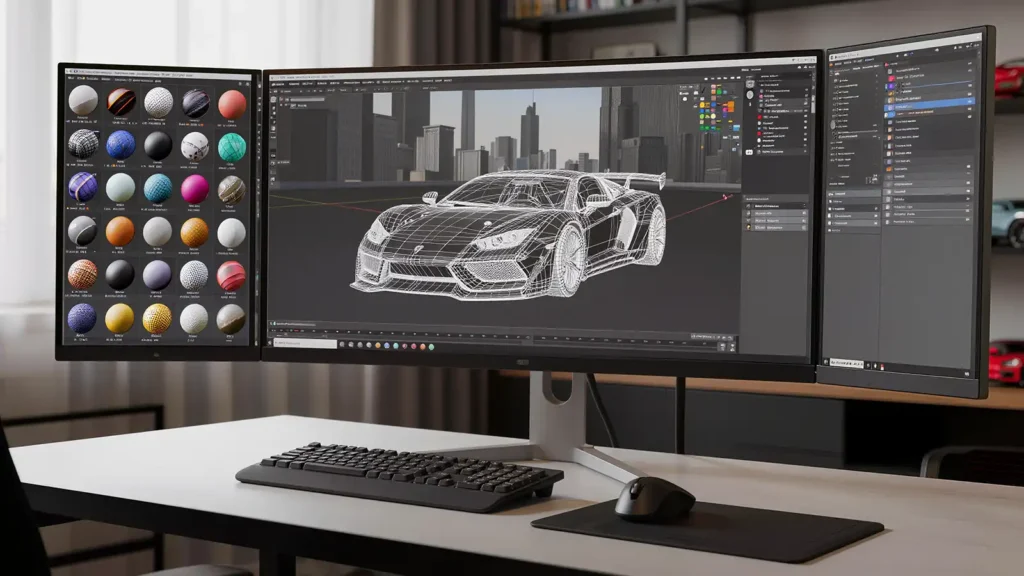
For 3D projects, pay attention to mesh scale, pivot positions, materials, colliders, and UV mapping.
Replacing a model with another asset of a different size may affect animations, physics, or gameplay interactions.
Likewise, a replacement texture must match the model’s UV layout unless the UVs are intentionally modified.
For projects with extensive product packaging or environmental textures, preserving UV coordinates can save considerable time.
Redesign the User Interface
The interface should support the new game’s visual identity.
Review the main menu, settings, shop, level-selection screen, achievements, and gameplay HUD.
Ensure that button sizes, text readability, and touch controls remain suitable for mobile devices.
Update Audio and Effects
Replace unsuitable background music, sound effects, and visual effects with appropriately licensed alternatives.
Check volume balancing and confirm that audio events still correspond correctly to gameplay actions.
A polished reskin should feel consistent across its visuals, interactions, and sound.
7. Improve Gameplay Instead of Changing Only the Appearance
This is where a basic reskin can become a more distinctive game.
A new logo and environment may change how the game looks, but players also notice the gameplay experience.
Consider improvements that make the product more engaging or useful.
Adjust the Gameplay Experience
Depending on the template, customization may involve:
- Improving controls and camera behavior.
- Redesigning level layouts.
- Adjusting difficulty progression.
- Adding appropriate customization options.
- Improving tutorials and onboarding.
- Refining rewards and progression.
- Fixing existing usability problems.
For example, a driving simulator might benefit from better steering sensitivity, improved traffic behavior, or more varied parking challenges.
A shop simulator might become more engaging through improved inventory management, clearer objectives, or additional customer interactions.
Avoid Repetitive Content
Google Play’s policies prohibit apps that merely reproduce substantially similar experiences without meaningful additional value.
The policy specifically addresses multiple apps with highly similar functionality, content, and user experiences. Google Help
Therefore, changing only the game’s name, icon, and textures should not be treated as a reliable publishing strategy.
Develop a recognizable product with meaningful differences and a clear audience.
8. Optimize the Game for Mobile Hardware
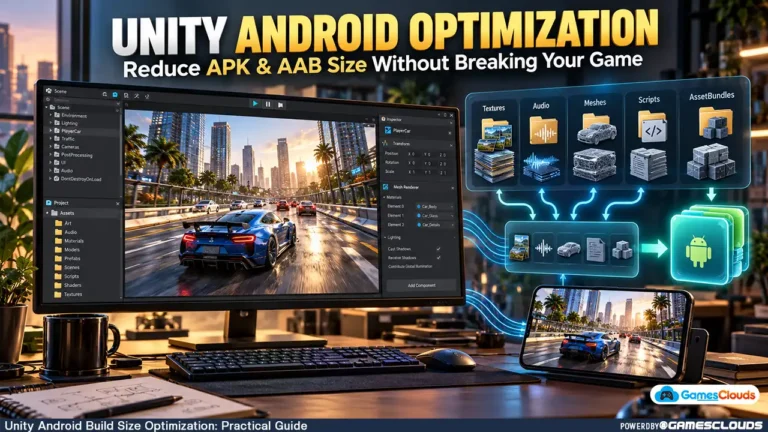
A game that runs smoothly inside the Unity Editor may behave differently on an Android smartphone.
Mobile devices have different CPU, GPU, memory, and thermal limitations.
Optimize the Most Expensive Systems
Start by testing the game on representative target devices.
Use Unity’s profiling tools to identify performance bottlenecks.
Depending on the results, improvements may include reducing unnecessary geometry, compressing textures, optimizing lighting, limiting expensive physics calculations, or improving script execution.
For a 3D racing game, excessive real-time shadows and detailed roadside objects may contribute to GPU pressure.
For a simulation game, numerous active physics objects or inefficient UI updates may create CPU overhead.
Avoid applying every optimization technique blindly.
Measure performance before and after each significant change.
Prioritize Stability
A stable frame rate, responsive controls, and predictable loading behavior are often more valuable than visual effects that cause frequent performance drops.
Test longer gameplay sessions as well as short demonstrations.
9. Review Advertising SDKs and Data Privacy
Many Unity templates include advertising, analytics, or other third-party SDK integrations.
These integrations should be reviewed before publishing.
An older SDK may require updating, and an unused integration may be better removed.
Understand What Your SDKs Collect
Check whether advertising and analytics packages collect or share user information.
Google Play requires developers to maintain accurate Data safety disclosures, including information about data handled through third-party SDKs.
Apps must also provide an appropriate privacy policy. Google Help
Test Monetization Responsibly
If your game uses rewarded advertisements, verify that rewards are delivered correctly.
Check that advertisements do not interrupt essential gameplay unexpectedly.
For in-app purchases, confirm that purchases, restorations, and entitlement handling work as intended.
Monetization should support the product rather than undermine the player experience.
10. Configure Android Publishing Settings
Before generating the final Android build, review the application’s technical identity and publishing configuration.
Update the Application Information
Check the application name, package identifier, version number, icons, splash screen, supported architectures, and signing configuration.
Remove references to the original template where they are no longer appropriate.
Also verify that the game’s required Android permissions match its actual functionality.
Check the Current Target API Requirement
As of October 2026, Google Play’s published requirements state that new standard Android apps and app updates submitted from August 31, 2026, must target Android 16 (API level 36) or higher. Different requirements apply to certain device categories. Android Developers
Developers working with older templates should verify that their Unity version, Android toolchain, and dependencies can support the required target API.
This requirement may change in future publishing cycles, so check the official documentation before submission.
Generate an Android App Bundle
For Google Play distribution, configure Unity to generate an Android App Bundle (AAB).
In Unity 6, the Android build configuration is available through Build Profiles.
Enable the appropriate App Bundle option and verify that the release build is signed correctly.
Unity’s official Android build documentation explains the supported publishing formats and build configuration. Unity Documentation
11. Test the Complete Game Before Release
A successful build does not necessarily mean the game is ready for publication.
Testing should cover the complete player experience.

Perform Functional Testing
Start from a fresh installation and follow the same steps a new player would take.
Check menus, tutorials, gameplay, progression, achievements, saving, loading, audio, and monetization.
For example, a game might function correctly during its first level but fail to save progress after restarting.
These problems are easy to overlook when testing only inside the Editor.
Test Multiple Devices
Use devices with different screen resolutions and performance capabilities.
Pay attention to UI scaling, touch responsiveness, memory usage, and gameplay stability.
Also test what happens when the player pauses the game, switches applications, loses connectivity, or returns after an interruption.
Document issues and retest after fixing them.
12. Prepare an Original Google Play Store Listing
The store listing is the first impression many players receive.
A professionally customized game deserves equally professional presentation.
Create Accurate Promotional Assets
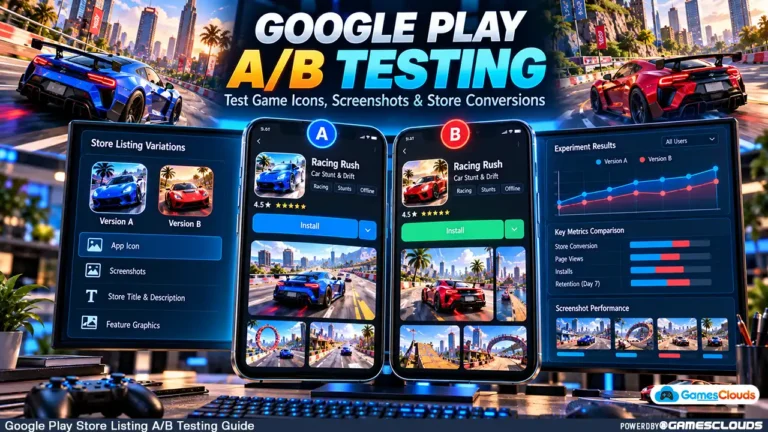
Prepare an original app icon, screenshots, descriptions, and other required listing materials.
Screenshots should clearly represent the actual game.
Avoid showing features, characters, environments, or gameplay systems that are not included in the released product.
Google Play’s policies prohibit misleading descriptions, screenshots, and other promotional claims. Google Help
Use Relevant Search Terms Naturally
Choose an app title and description that communicate what the game offers.
For example, a parking simulator listing should describe its driving challenges, vehicle controls, environments, and progression.
Avoid repeating the same keywords excessively.
App Store Optimization works best when the listing helps the right audience understand the product.
Consider a Staged Release
Where suitable, begin with internal or closed testing before broader distribution.
Review crash reports, performance issues, and user feedback.
Resolve significant problems before increasing exposure.
Publishing is not the final development step. It is the beginning of maintaining a live product.
Common Unity Game Reskinning Mistakes to Avoid
One common mistake is choosing a template based entirely on its screenshots without examining its technical foundation.
Another is upgrading Unity immediately without preserving a working copy.
Developers also underestimate the time required to replace models, textures, interfaces, and audio consistently.
Licensing mistakes can create additional problems, especially when third-party assets are redistributed without permission.
Finally, a visually attractive game may still struggle if its gameplay is repetitive, its performance is unstable, or its store listing misrepresents the actual experience.
A better approach is to plan the project around three connected goals: technical reliability, creative originality, and player value.
Is Buying a Unity Game Template Worth It?
A well-chosen template can reduce the amount of foundational development required.
It can be especially useful for independent developers who want to focus on visual customization, level design, gameplay improvements, or publishing.
However, the template itself is only a starting point.
The final project’s quality depends on how effectively the developer improves and adapts that foundation.
Before purchasing, estimate the work required for customization, compatibility updates, testing, and publishing.
A template that closely matches your intended game can be valuable. One that requires replacing nearly every major system may offer much less benefit.
Conclusion
Unity game reskinning can provide a practical development path for indie studios and publishers, but a successful result requires more than cosmetic changes.
Start with suitable, properly licensed source code. Establish a consistent visual direction, improve the gameplay experience, and verify that the project meets current platform requirements.
Then test the finished game carefully and create accurate promotional materials.
The objective should be to deliver a distinctive, enjoyable game—not simply another copy of an existing product.
At GamesClouds, developers can explore Unity game source codes and templates for different genres and platforms.
For projects requiring additional customization, visual redesign, optimization, or publishing assistance, explore our game development and reskin services.
Frequently Asked Questions
1. Can I publish a reskinned Unity game on Google Play?
Yes, provided you have the necessary rights, the application complies with Google Play policies, and the finished product meets applicable technical and content requirements. Reskinning does not guarantee approval.
2. Do I need programming knowledge to reskin a Unity game?
Basic visual changes may require limited programming knowledge. However, gameplay modifications, SDK updates, compatibility fixes, and publishing issues often require an understanding of Unity and C#.
3. How long does it take to reskin a Unity game?
The timeline depends on the project’s complexity and the amount of customization required. A small visual update may take considerably less time than a complete redesign involving new environments, gameplay systems, and monetization.
4. Is changing a game’s graphics enough to make it original?
Not necessarily. Visual changes can contribute to originality, but developers should also consider gameplay, content, user experience, and intellectual-property rights. Google Play evaluates repetitive content and overall app quality.
5. Can I monetize a game created from purchased Unity source code?
Often, yes, if the applicable licenses permit commercial use. Check the source-code agreement and any separate third-party asset licenses before publishing or monetizing the game.
[…] planning an Android release can also read our Unity Game Reskinning Guide for a practical customization […]
[…] Unity game reskinning tutorial explains how visual customization can affect existing game […]
[…] developers modifying the visual presentation of purchased source code, our Unity game reskinning guide explains additional customization […]
[…] Unity game reskinning guide explains how developers can approach customization before […]