Unity Analytics Setup Guide: Track Players in Game Templates
Imagine purchasing a Unity racing game template.
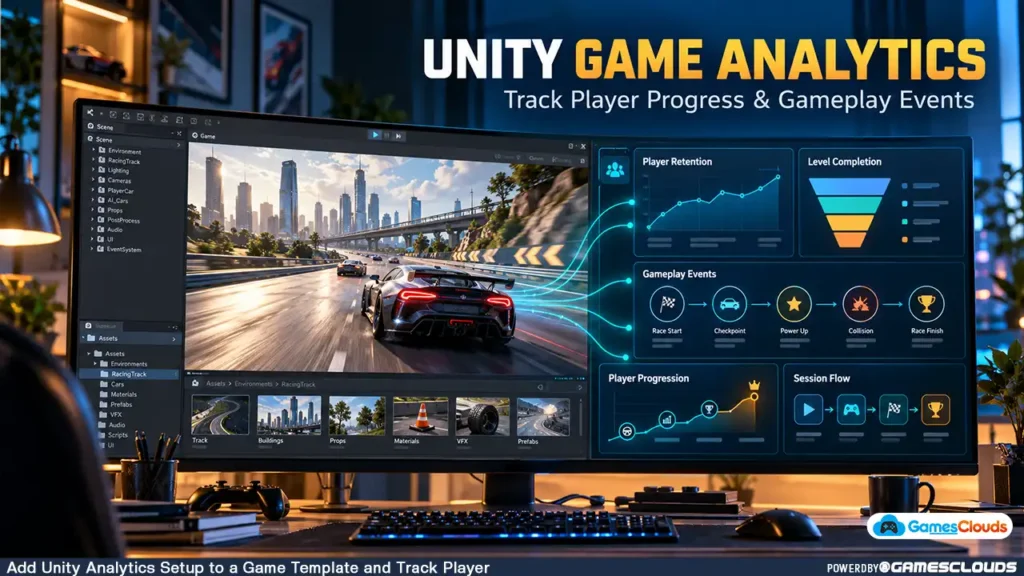
The project already contains vehicles, environments, gameplay controls, menus, and a working level-progression system.
You customize the graphics, replace some vehicles, improve the interface, and prepare the game for release.
After publishing, players begin downloading your game.
But an important question remains unanswered.
What are players actually doing inside your game?
Are they completing the first level?
Do they struggle with a particular mission?
Are they opening the garage but never purchasing upgrades?
Do they stop playing during the tutorial?
Without gameplay data, answering these questions becomes difficult.
You can test the game yourself, read player feedback, and observe gameplay sessions. However, these methods may not reveal patterns across a broader player population.
This is where Unity Analytics becomes useful.
Analytics allows developers to record meaningful gameplay events and examine how players interact with different systems.
Instead of making every design decision based on assumptions, developers can use available data to identify potential problems and investigate improvements.
This guide explains how to add Unity Analytics to an existing game template, configure custom events, measure progression, and avoid common implementation mistakes.
1. What Is Unity Analytics?
Unity Analytics is a service within Unity Gaming Services that helps developers understand player activity.

It can collect standard gameplay events and developer-defined custom events.
These events can be examined through reports and dashboards.
For example, a racing game might record when a player starts a level, completes a race, fails a challenge, or purchases an upgrade.
Developers can then investigate how frequently these actions occur and how players progress through the game.
What Can Unity Analytics Measure?
Depending on the implemented events and available reports, developers can examine player activity, retention, progression, and other gameplay behaviors.
For example, a developer might want to know:
- How many players begin the tutorial?
- Which level has the highest abandonment rate?
- How often do players retry difficult missions?
- Are players discovering the garage and customization features?
- Which gameplay activities are used most frequently?
Unity provides dashboards and event-based reporting tools for analyzing this information.
The official Unity Analytics documentation explains the SDK setup and supported platforms. Unity Docs
2. Why Analytics Matters for Unity Game Templates
A purchased Unity template can provide a useful development foundation.
However, a working game doesn’t automatically include all the systems needed for post-launch analysis.
Some templates may contain analytics integrations.
Others may include only gameplay functionality.
Understand the Difference Between Functionality and Measurement
Consider a racing template with ten levels.
The game can correctly unlock Level 2 after the player completes Level 1.
From a gameplay perspective, the progression system works.
But the developer may not know how many players actually reach Level 2.
Adding analytics provides a way to investigate that behavior.
Analytics Can Support Better Development Decisions
Suppose a hypothetical game shows a large drop in progression between two levels.
That observation doesn’t automatically prove the second level is too difficult.
Players might encounter confusing instructions, technical problems, or an unusually long loading sequence.
Analytics identifies where further investigation may be useful.
The next step is to test possible explanations rather than immediately changing the game’s difficulty.
3. Plan Your Analytics Events Before Installing Anything
A common mistake is installing an analytics SDK without deciding what information the game actually needs.
This can lead to excessive events that provide little practical value.
A better approach is to begin with specific questions.
Define Your Measurement Goals
For a racing game, you might want to understand:
- Whether players complete the tutorial.
- How far players progress through the levels.
- Which missions are frequently restarted.
- Whether players interact with vehicle upgrades.
- Whether rewarded-ad opportunities are being used.
Each question should correspond to meaningful gameplay events.
Example Event Plan
| Event Name | When It Should Be Recorded | Example Parameter |
|---|---|---|
tutorial_started | Player begins the tutorial | Tutorial version |
tutorial_completed | Player completes the tutorial | Completion time |
level_started | A playable level begins | Level number |
level_completed | Player successfully finishes a level | Level number |
level_failed | Player fails a mission | Failure reason |
garage_opened | Player opens the garage | Entry location |
vehicle_upgraded | Player completes an upgrade | Upgrade type |
These are suggested custom-event names, not claims that Unity automatically provides them.
Keep the initial event plan focused.
You can introduce additional events when there is a clear reason to measure another behavior.
4. How to Install Unity Analytics
Unity Analytics is available through Unity Gaming Services.
Before installing the SDK, confirm that the existing project uses a supported Unity version.
Step 1: Back Up Your Game Template
Create a backup of the original project.
Record the Unity Editor version and installed packages.
This is especially important when working with purchased source code that may depend on specific package versions.
Step 2: Connect Unity Gaming Services
Open the Unity project and connect it to an appropriate Unity Cloud project.
Make sure you have the necessary organization permissions.
Step 3: Install the Analytics Package
Open:
Window → Package Manager
Select Unity Registry.
Search for:
com.unity.services.analytics
Install a compatible package version.
Unity’s current setup documentation lists Unity 2021.3 or later as a prerequisite and describes support for Android, iOS, Windows, macOS, and WebGL. Unity Docs
Step 4: Configure the Analytics Dashboard
Open the Unity Dashboard and navigate to the Analytics service.
Review the available project settings and reporting tools.
Important: Configure Privacy Before Collection
Installing the SDK does not remove the developer’s responsibility to manage privacy.
Analytics data collection must follow the applicable consent and disclosure requirements.
The exact activation procedure depends on the Unity Editor and Analytics SDK versions.
We’ll cover those differences later in this guide.
5. Understand Standard Events and Custom Events
Unity Analytics supports two important categories of events.
Standard Events
Standard events are predefined events supported by Unity Analytics.
Depending on the SDK version, certain standard events can be recorded automatically after data collection is properly enabled.
Examples include game-start and device-related events.
Other standard events may require explicit implementation.
Custom Events
Custom events represent gameplay actions specific to your project.
For example:
level_completed
vehicle_upgraded
mission_failed
These events are useful because every game has different mechanics.
A racing game and a supermarket simulator may share basic session tracking, but their gameplay events will be different.
Create Events in the Dashboard First
Unity’s current custom-event workflow requires developers to define event schemas in the Event Manager.
The event names and parameter types used in game code must match those schemas.
Otherwise, the analytics backend may reject the events.
Unity’s official custom-event documentation explains event creation, naming requirements, and schema validation. Unity Docs
6. How to Track Level Completion in Unity
Let’s consider a hypothetical racing game.
We want to record an event whenever the player successfully completes a level.

Step 1: Create the Event Schema
In Unity’s Analytics Event Manager, create a custom event named:
level_completed
Add an integer parameter named:
levelNumber
Enable the event.
Step 2: Create a Matching Event Class
For Analytics SDK versions supporting the current Event API, a simplified implementation could look like this:
using Unity.Services.Analytics;

public class LevelCompletedEvent : Event
{
    public LevelCompletedEvent() : base("level_completed")
    {
    }

    public int LevelNumber
    {
        set { SetParameter("levelNumber", value); }
    }
}
Step 3: Record the Event
When the game’s existing level manager confirms successful completion, record the event:
var completedEvent = new LevelCompletedEvent
{
    LevelNumber = 3
};

AnalyticsService.Instance.RecordEvent(completedEvent);
This example assumes that Unity Gaming Services has already initialized, analytics collection is permitted and active, and the event schema matches the code.
The example also uses a fixed level number for demonstration.
In a real project, the value should come from the game’s level-management system.
Avoid Duplicate Events
Some Unity templates trigger completion logic through multiple callbacks.
If the same completion event is recorded repeatedly, the analytics data may become misleading.
Ensure that each intended completion action produces the correct event count.
Unity’s event-recording documentation confirms that current SDK versions support RecordEvent() and that events are uploaded in batches. Unity Docs
7. How to Track Player Drop-Off Points
Recording individual events is useful.
However, understanding the relationship between events can provide additional insight.
This is where gameplay funnels become valuable.
What Is a Gameplay Funnel?
A funnel represents a sequence of actions that players are expected to complete.
For example:
Game Started → Tutorial Started → Tutorial Completed → Level 1 Started → Level 1 Completed
Developers can examine how many players progress through the sequence.
Example: Tutorial Completion
Imagine a hypothetical group of 100 players.
All 100 launch the game.
Eighty begin the tutorial.
Sixty complete it.
Forty-five finish the first level.
These are illustrative numbers, not actual GamesClouds analytics results.
The example shows how a funnel can highlight where progression decreases.
What Should Developers Do With This Information?
If many players begin the tutorial but relatively few finish it, investigate possible causes.
The tutorial may be too long.
Instructions may be unclear.
Controls may be difficult to understand.
Alternatively, technical problems could be preventing completion.
The data provides a starting point for investigation.
Unity’s Funnels documentation explains how developers can analyze ordered gameplay events and progression drop-offs. Unity Docs
8. Understanding Player Retention
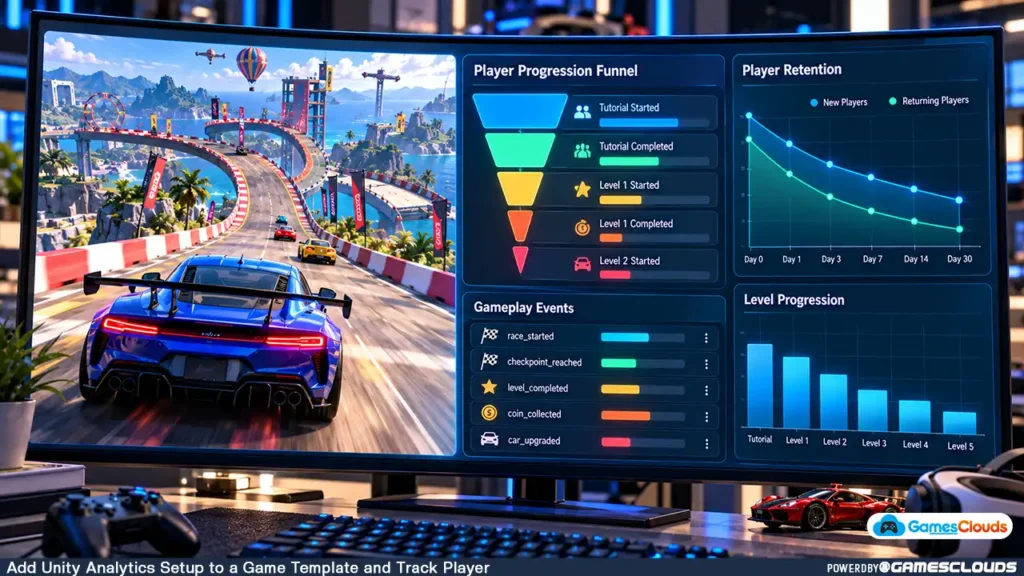
Player retention describes whether players return to a game after their initial experience.
Common retention measurements include Day 1, Day 7, and Day 30 retention.
What Is Day 1 Retention?
Day 1 retention measures the proportion of eligible new players who return on the following day, according to the analytics platform’s cohort definitions.
For example, if 100 new players form a cohort and 25 return the next day, the illustrative Day 1 retention would be 25%.
This example does not represent actual game performance.
Why Retention Matters
A game may attract downloads but struggle to maintain player interest.
Retention data can help developers understand whether players return after their first session.
However, retention alone doesn’t explain why players leave.
It should be considered alongside progression events, player feedback, crashes, and other relevant information.
Avoid Comparing Unrelated Games
A casual puzzle game, racing simulator, and competitive multiplayer game can have very different player behaviors.
Avoid treating one retention figure as a universal target.
Evaluate results in the context of the game’s genre, audience, and design.
9. Use Analytics to Improve Game Progression
Analytics becomes more useful when it influences specific development decisions.
Consider a hypothetical car stunt game containing several tracks.
Players complete the first three levels, but progression drops significantly at Level 4.
Investigate the Level
Review the track layout.
Check whether the obstacles are understandable.
Test vehicle handling and checkpoint placement.
Look for unexpected collisions or performance problems.
Make a Controlled Change
Suppose testing suggests that one obstacle is confusing.
The developer adjusts its placement and clarifies the objective.
After releasing the update, the team can compare relevant progression data.
However, changes in the metrics don’t automatically prove causation.
Other factors, including player demographics and acquisition sources, may affect the results.
For guidance on modifying existing level structures, read our How to Add Levels to a Unity Game Template tutorial.
10. Connect Analytics With Monetization Decisions
Analytics can also help developers understand how players interact with monetization features.
For example, a game might offer a rewarded advertisement after a failed level.
The developer may want to know whether players encounter the offer, choose to watch an advertisement, and receive the reward.
Measure the Complete Interaction
A useful measurement plan could include:
reward_offer_shown
reward_offer_selected
reward_granted
These custom events can help explain the player’s interaction with the reward system.
However, developers should distinguish between gameplay events and verified advertising revenue.
An event indicating that a reward was granted does not independently establish that a paid ad impression occurred.
Use the Advertising SDK’s Actual Results
Where available, use the ad network’s official impression and revenue data for monetization reporting.
Avoid inventing revenue estimates from gameplay events.
For implementation guidance, see our AdMob Rewarded Ads Unity Guide.
11. Handle Player Privacy Correctly
Privacy is an essential part of analytics integration.
Analytics can involve collecting information about how people use an application.
Developers must understand their responsibilities before activating data collection.
Unity Version Differences Matter
For Unity 6.2 and later with Analytics SDK 6.1 or later, Unity documents consent management through the Developer Data framework and EndUserConsent API.
For Unity 6.1 and earlier, or Analytics SDK 6.0 and earlier, the documented activation workflow uses AnalyticsService.Instance.StartDataCollection() after the required consent conditions have been satisfied.
Do not mix these approaches without checking compatibility.
Unity’s Analytics Privacy and Consent Guide explains the version-specific requirements. Unity Docs
Google Play Data Safety
If you’re publishing on Google Play, review the application’s data collection and sharing practices.
This includes information collected through third-party SDKs.
Google requires developers to provide accurate Data safety information and an appropriate privacy policy. Google Help
Avoid sending unnecessary personal information through custom analytics events.
Privacy requirements should be reviewed for the jurisdictions and audiences your game serves.
12. Test Analytics Before Publishing
An analytics implementation should be tested like any other gameplay system.
Verify Event Registration
First, confirm that the custom event exists in the correct Unity Analytics environment.
Check that the parameter names and data types match the implementation.
Test the Actual Gameplay
Complete a level.
Fail a mission.
Open the garage.
Perform the actions associated with your custom events.
Confirm that the expected events are recorded.
Review the Event Browser
Unity provides an Event Browser for examining reported events.
Analytics events are uploaded periodically, so they may not appear immediately after an action occurs.
Test Real Builds
Verify the integration in Android or PC builds rather than relying exclusively on the Unity Editor.
Also test how the application behaves when internet connectivity is unavailable.
Keep Development Data Separate
Where practical, use a development or testing environment.
Otherwise, repeated internal testing may contaminate the production reports used to understand real player behavior.
Unity provides event debugging guidance for investigating reporting problems.
13. Practical Example: Analytics for a Unity Racing Template
Consider a hypothetical racing project based on an editable Unity source-code template.
The game contains multiple vehicles, several tracks, a garage, and level progression.
The developer wants to understand how players interact with these features.
A practical implementation could begin with four areas.
Gameplay Progression
Record when players begin, complete, and fail levels.
Use the information to investigate progression patterns.
Vehicle Customization
Record meaningful garage interactions, such as completed vehicle upgrades.
This can help the developer understand whether players discover and use the customization system.
Tutorial Experience
Track tutorial entry and completion.
Examine whether players successfully reach the main gameplay experience.
Monetization Interaction
If the developer later introduces rewarded ads or in-app purchases, define appropriate measurement events and integrate them with verified monetization reporting.
For a relevant editable racing project, explore the Mega Car Stunt Unity 3D Source Code available on GamesClouds.
The product listing describes multiple racing modes, vehicle customization, and Android and PC compatibility. GamesClouds
This example illustrates a possible analytics implementation. It does not claim that the listed project already contains the analytics events described here.
14. Common Unity Analytics Mistakes to Avoid
One mistake is collecting too many events without defining their purpose.
Another is recording the same gameplay action multiple times.
Developers may also forget to verify event schemas or test analytics in compiled builds.
Privacy configuration is another important consideration.
Using an outdated consent implementation with a newer SDK can create problems.
Finally, developers sometimes treat analytics reports as definitive explanations of player behavior.
Data can identify patterns, but understanding the reasons behind those patterns usually requires additional investigation.
The goal is not to collect the maximum amount of information. It is to collect information that supports useful decisions.
Conclusion
Adding Unity Analytics to an existing game template can help developers understand what happens after players begin using their game.
By recording meaningful events, developers can examine tutorial completion, level progression, feature usage, and other gameplay behaviors.
Funnels can highlight where players stop progressing.
Retention reports can help measure returning activity.
Custom events can provide insight into mechanics unique to a particular game.
However, reliable analytics requires more than installing an SDK.
Developers must plan their events, configure compatible packages, validate reporting, respect player privacy, and interpret results carefully.
For indie developers and game-template buyers, these practices can provide a stronger foundation for post-launch improvement.
At GamesClouds, developers can explore editable Unity projects across racing, simulation, shooting, and other genres.
Browse our Unity game source-code collection to explore available templates.
If you need assistance integrating analytics, customizing gameplay systems, or preparing a project for release, explore our game development and customization services.
You can also contact GamesClouds to discuss your project requirements.
Frequently Asked Questions
Can I add Unity Analytics to an existing game template?
Yes. Unity Analytics can be integrated into compatible Unity projects. The implementation work depends on the Unity version, existing packages, gameplay architecture, and privacy requirements.
Does Unity Analytics automatically track level completion?
Not necessarily. Unity Analytics provides certain standard events, but game-specific actions such as completing a particular level generally require appropriate custom-event implementation.
Can Unity Analytics help improve player retention?
Analytics can help developers examine retention patterns and identify possible areas for improvement. However, analytics alone doesn’t guarantee better retention or explain every reason players stop playing.
Is Unity Analytics free?
Unity currently provides a free starting tier, with usage-based pricing beyond its stated limits. Pricing and service conditions may change, so developers should review the official Unity Analytics pricing documentation before choosing a plan.
Can Unity Analytics be used in Android and PC games?
Yes. Unity documents Analytics support for Android and Windows, among other platforms. Developers should confirm SDK compatibility and test the implementation on their intended release platforms.